


The Problem
Once a contact reaches the end of a Mautic campaign, it is a dead end. The contact will idle in the campaign forever, if you did not prepare a “Change Campaign” action beforehand.
Adding new steps afterwards will not reach them. This is a long-known limitation, and over the years various workarounds have been proposed: helper campaigns, database manipulation, and other multi-step setups. Most of them are either complex to maintain or require technical access most campaign managers do not have.
The solution described here needs neither. No extra campaigns, no database access, just a small addition inside the existing campaign.
Step-by-Step
Step 1: Add a Decision to Your Campaign
Open the campaign you want to extend, like this example campaign:
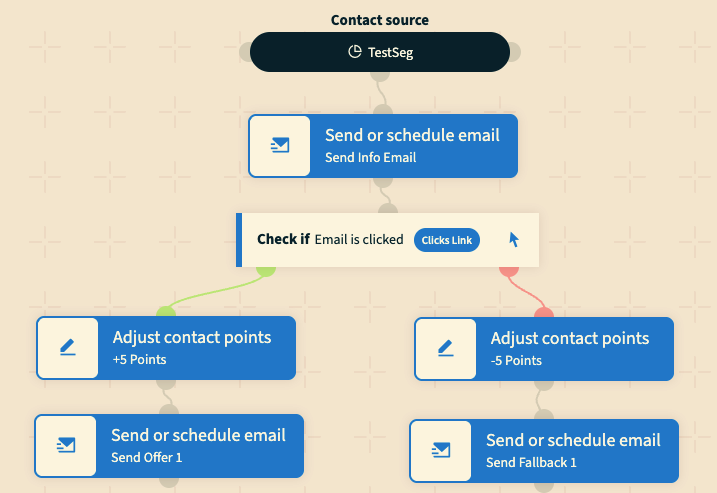
At the point where you want new steps to begin, add a Decision event of the type "Visits a page". For the URL, enter any value that no real contact will ever trigger, for example a random string like “dummy-no-tracking”.
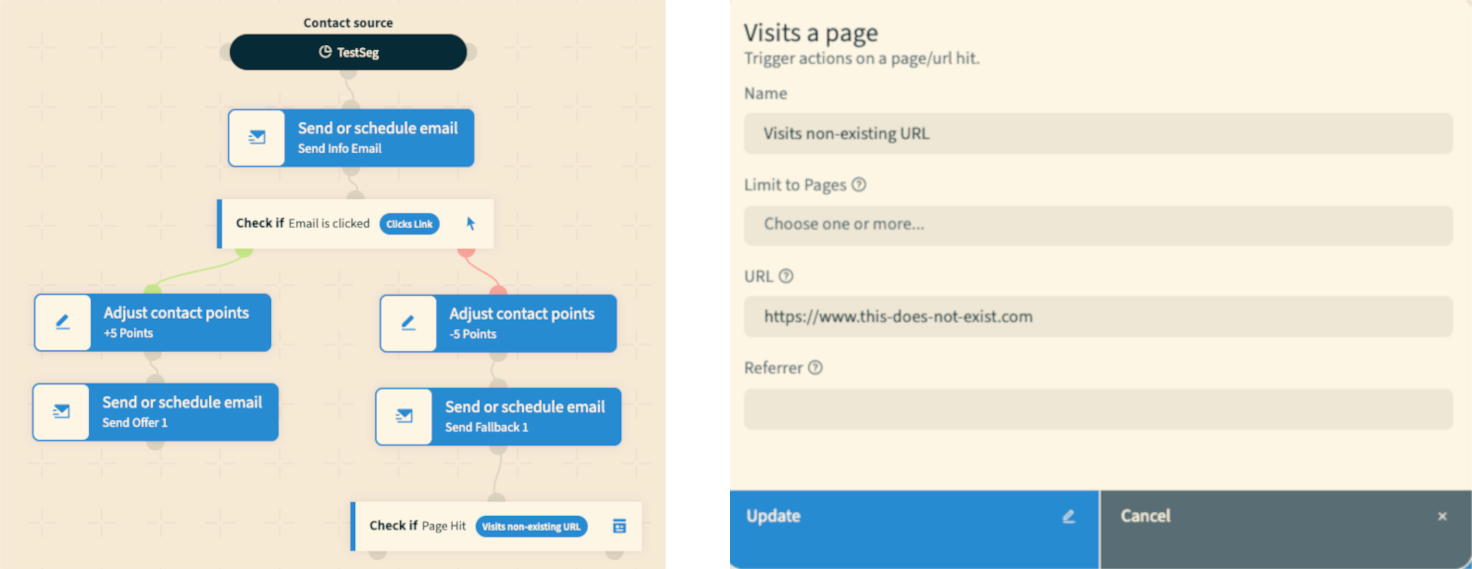
Step 2: Add Your New Steps to The Negative Path
Connect your new events to the negative path of that Decision.
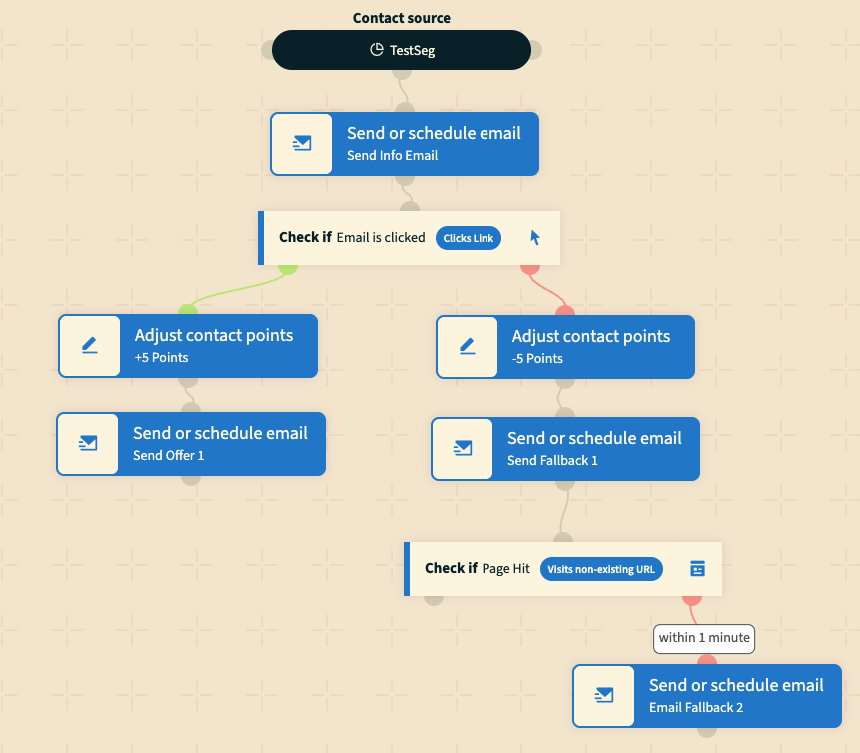
The first event on this path must have a delay set for technical reasons.
You can use the smallest value Mautic allows (within 1 Minute) to minimise waiting time. These events will then be processed on the next run of mautic:campaign:trigger.
Things to Keep in Mind
This workaround can be applied at any point in a campaign, after any Action a contact has passed through, or after any Condition that evaluated as configured.
All contacts already at that point in the campaign will need one additional
mautic:campaign:triggerrun before they are processed.Make sure the cron job runs frequently enough for your use case.
If you want to introduce a longer delay before the new steps anyway, simply set a higher value in Step 2 instead of the minimum.
If your campaign has multiple endpoints you want to extend, repeat the process for each one.